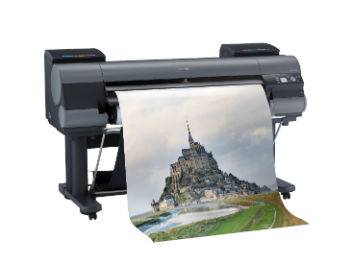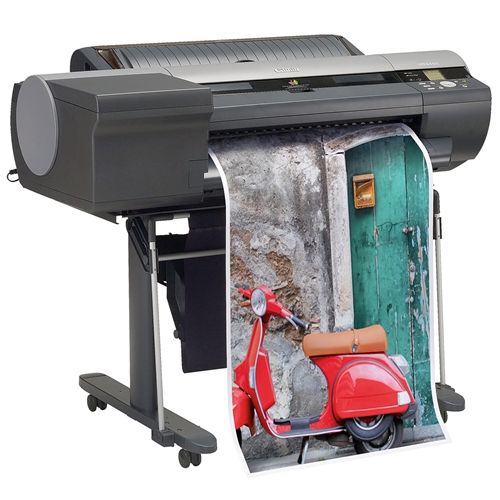

- 44″ large-format printer
- color
- ink-jet
- Roll (44 in) up to 0.4 min/page (color)
- USB 2.0
- Gigabit LAN
Canon imagePROGRAF iPF830 44″ Wide Format Printer
-
Description
Product Description
Canon imagePROGRAF iPF830
Canon imagePROGRAF iPF830 44″ Wide Format Printer A 44-inch wide powerhouse printing system designed to enhance productivity for medium to large workgroups, with high speed throughput, the imagePROGRAF iPF830 printer is a production printing solution with incredible line accuracy, an 320GB hard drive, excellent media handling, and support for HP-GL/2 and HP RTL files, the iPF830 printer is an easy-to-use, production printing solution for any professional with a need for producing intricately detailed full-color renderings, CAD drawings, GIS maps and other large-format output. Canon imagePROGRAF iPF830 44″ Wide Format Printer is a workhorse
Product Name: Canon imagePROGRAF iPF830
Printer Type: 5-Color 44-inch Printer
Number of Nozzles: 15,360 Total
Nozzle Pitch: 1,200 dpi
Maximum Print Resolution: 2,400 x 1,200 dpi
Ink Capacity: 330ml per color (Optional 700ml)
Standard Memory: 640 MB
Hard Drive Capacity: 320 GB
Maximum Print Width: 44″
Media Thickness: 0.07-0.8mm
Maximum Media Roll Diameter: 5.9″ or less
Ethernet: Yes
Direct USB: Yes
Platform Supported: PC, Mac
Physical Dimensions: 75″(W)x 51″(D)x 45″(H)
Weight: Approximately 417 lbs
Printer Stand Included: Yes
Manufacturer Warranty: 1-YearAdditional Information:
High-Capacity StackerThe stacker provides a flat surface to offload prints and eliminates the need for operator handling. Built for high productivity, this stacker automatically picks up documents of mixed document sizes and stacks them up to 100 sheets.
Two Media Rolls
The two large paper rolls on the iPF850 printer allows for the immediate switching between different media types or the use of two rolls of the same paper for printing of large, consecutive runs. With Canon’s unique sub-ink tank system, you can replace ink on-the-fly without stopping the printer. Choose extra-large 700ml ink tanks for increased productivity. For long print runs, a high-capacity stacker comes standard with the iPF850 printer (up to 100 Arch D size prints).
High-Speed Printing: L-COA processor
When you need to keep projects moving forward and meet deadlines, speed is critical. Canon’s advanced print head technology achieves speeds up to 707 ft./hr.2 on uncoated media. Output two D-size (24″x36″) drawings per minute or print a full color, 2400×1200 dpi high resolution A0 size image with on heavyweight coated paper in 3 minutes 37 seconds. Powering these incredible print speeds is Canon’s L-COA processor, at the heart of every imagePROGRAF printer.The L-COA (Large Format Printer COmmon Architecture) print controller drives the imagePROGRAF print engine to lay down ink with exceptional speed and precision. This unique, high-speed processor enables the print system to process large volumes of data while optimizing output of complex high-color GIS images and architectural renderings for maximum readability and color accuracy.
Precision Printing: High-Density PF-04 Print Head
Engineered for speed and advanced image production, this printer boasts Canon’s print-head technology that lays down ink with exceptional speed and accuracy. The PF-04 print head incorporates a nozzle orifice shape to help minimize mist spray, producing clean lines and text. The high-precision, high-density print head, with a total of 15,360 nozzles, lays down 4 picoliter-size ink droplets that produce sharp detail and excellent image quality. The result is consistently accurate 2400 x 1200 dpi output with fine lines that are accurate to ±0.10% and as thin as 0.02mm.
Gigabit Ethernet Compatible
Printing jobs quick is important on the work site and in the office, The Gigabit Ethernet connectivity will transfer large technical drawing files faster and speed up your workflow, perfect for high-volume printing.
320GB Hard Drive
A built-in 320GB hard drive within the printer increases productivity by relieving workload from the host PC, while providing a large capacity for print job data storage, and retrieval. This 320GB hard drive enables job data to be stored in protected mailboxes for easy access via web browser or at the printer for job re-printing. The embedded hard disk is ideal for medium to large workgroups to share a printer efficiently with multiple users, offering ample job storage space.
High Chroma Magenta Ink
The High Chroma Magenta Ink, available for the 1st time with the 44″ 5-color Large Format Printer line, produces a wider color gamut in the red and orange spectrums, compared to previous models.
Reactive Ink System
Ideal for technical applications, Canon’s breakthrough 5-color dye/pigment Reactive Ink technology utilizes four highly colorfast dye inks for producing bold, expressive color, plus one channel of matte black ink for printing precise lines, smooth curves and small text on technical and office documents. These Canon inks provide superior adhesion to media, scratch and marker resistance and ensure minimal “bleeding” between colors and text. Even small text printed on colored backgrounds or on uncoated technical papers is crisp and legible.
At A Glance
1. Easy-to-use preset document profiles (examples are Poster, CAD, Photo)
2. Automatic print quality options dependent on print application and media
3. Real Preview that lets users change document and printer settings after clicking “print”
4. Page nesting feature with Free Layout for Windows and Mac
5. imageRUNNER Enlargement Copy feature – with a hot folder solution to print Color imageRUNNER PDFs directly without opening in a PDF viewer
6. Economy Print Mode
7. Borderless printing
8. Easy setting/Advanced settingEconomy Print Mode
Reduce total ink consumption by utilizing the Economy Print Mode for producing draft prints on select media. This feature regulates the use of all inks to produce quick check plots while minimizing the cost per print.
Direct Print & Share
Sharing ideas has never been easier with Canon’s Direct Print & Share software. Direct Print and Share is a cloud portal and batch printing solution that helps you to expand your printing workflow. Available as a free download, this software allows you to upload documents to your account using any WebDAV compliant1cloud service, and have these documents printed from almost anywhere. Easily share and/or print .cpfx PosterArtist, PDF, TIFF, JPEG, and HP-GL/2 files, through the user-friendly interface. In addition, you can set-up hot folders on your desktop by clicking the Shortcut Print feature, then simply drag and drop the files you wish to print into these folders and the job will start automatically. You can even set up multiple folders, each with their own customized settings, allowing for multiple jobs to be run with ease.
imagePROGRAF Print Utility
imagePROGRAF Print Utility is Canon’s mobile app for wireless printing via an Apple® iPad® to an imagePROGRAF printer2. Through use of the app, users have the ability to preview their PDF file, utilize some of the great basic settings seen in their Canon Printer Driver such as selecting the number of copies, orientation, and quality, and then send their print to one of the imagePROGRAF 5-Color Printers sharing the same network. imagePROGRAF Print Utility is available for download free of charge through the iTunes® App Store℠.Accounting Manager
The Accounting Manager serves as a powerful feature, used for accurate management of printing costs and other information that is increasingly important in today’s economic environment.
With the Accounting Manager feature you can track how much ink and paper is being consumed when printing in large format. Costs can be assigned to ink and paper to determine expenses based on your own “Cost of goods”. Each individual ink tank can have its own cost associated to it, as well as a variety of different paper types. The user can also input a variable cost that will be added to the total of the print cost. The data is exportable to a .csv format for Microsoft Excel so the data can be used for billing purposes. This feature will allow you to determine the cost of each print based on your actual cost. Features include:
At A Glance
Log Recording Time
Job Name
Job Owner
Client Job ID
Client Job Submission Time
Job Completion Time
Job Completion State
Ink consumption per job
Media Type
Number of completed pages
Media consumption area per job
Log Recording Time
Job Name
Job Owner
Client Job ID
Client Job Submission Time
Job Completion Time
Job Completion State
Ink consumption per job
Media Type
Number of completed pages
Media consumption area per jobCanon Print Driver
This Windows® and Macintosh® drivers incorporate simplified page setup options, one-touch borderless printing, expanded color settings, and much more into a printer driver that is intuitive and easy-to-operate while still giving even the most advanced users the tools needed to stay productive.
The Real Preview feature lets users ensure that the print setting and the layout on the roll paper is correct by providing real time preview, allowing users to change the print setting even after clicking on “print.” The Free Layout feature enables nesting and custom layouts of images or files of nearly any type (available for both Windows and Mac driver).
The imageRUNNER Enlargement Copy feature built-in to the printer driver lets users transfer data from their Color imageRUNNER device with Universal Send to the imagePROGRAF printer – all with the touch of a button – enabling users to easily create posters from hard copy documents.
Optimized Module for AutoCAD
This specialized driver is compatible with a variety of AutoCAD software products and helps enable optimal printing productivity and reliability from the AutoCAD software. Through this module, the processing and printing time associated with printing AutoCAD files to the imagePROGRAF printer is decreased to approximately 1/3rd the time associated with printing through the previous Canon HDI Driver! The module also has a user-friendly interface that includes familiar features such as free layout, test printing, and 1200 dpi rendering. This module is automatically loaded when printing is attempted from AutoCAD, ensuring a smooth workflow with optimal printing results each time.
Features
1. Exact page size that corresponds with the actual print size
2. Print Type setting
3. Print Quality setting
4. Color Mode setting
5. Brightness slide bar setting
6. Black ink print feature
7. Advanced media settings
PosterArtist LiteCanon’s included PosterArtist Lite poster creation software gives users the ability to quickly and easily create professional large format prints. Users simply follow the program’s four (4) easy steps to create posters that can be used in applications such as Office presentation, Trade shows, Retail Signage, and much, much more. The PosterArtist QuickCopy feature provides an easy solution for a CanoScan desktop scanner to be used as a copier, making letter-size flyers and documents into full-size posters with a touch of a button.
For those with more demanding poster creation needs, Canon’s optional PosterArtist offers advanced features such as Auto Design, Variable Data, and in-application image editing features, as well as additional templates, royalty-free photos, and clip art. The built-in weblink feature in PosterArtist Lite links users directly to the PosterArtist website for useful hints and tips, and even more free contents for download.
Print Plug-in for Microsoft Office
This utility makes it easy to print large-format documents created in Microsoft Word, Excel, or PowerPoint. The Plug-in appears in a tool bar inside the Microsoft application and has an easy-to-follow “Wizard”. The Plug-in will bypass the printer driver to simplify the printing process. A few simple steps convert your 8.5″ x 11″ office document to poster size.
Software Included Canon Printer Driver, Printer Driver Extra Kit (Free Layout, Color imageRUNNER Enlargement Copy, Advanced Preview), Direct Print & Share, imagePROGRAF Print Utility^, PosterArtist Lite (PC Only), Print Plug-in for Microsoft® Word/Excel/PowerPoint (PC only), Status Monitor, Media Configuration Tool, Optimized Module for AutoCAD
What’s in the Box
Main Unit with Stand & Portable Media Basket2″ Roll Holder with 3″ Core Adapters1 Print Head1 Maintenance Cartridge, (installed)5 Ink Tanks (C, M, Y, BK, MBK)A2 Cut Sheet Heavyweight Coated Paper (5 pieces)Ethernet Card (built in)USB 2.0 High Speed InterfaceQuick Setup Guide (Poster)Power CordOne Year Warranty CardRegistration CardPosterArtist Lite Application CDUser Software CD with: imagePROGRAF Printer Driver imagePROGRAF Status Monitor PC only imagePROGRAF Direct Print & Share imagePROGRAF Print Plug-in for Microsoft Office® Media Configuration Tool Accounting Manager
-
Additional information
Additional Information
Weight 275 lbs Media width 44+
UPC 013803248791
Brand Manufacturer Canon
APPLICATION Poster Printer, Technical Printer
MSRP 5495.00